Billing Explained: Standard & Flexible Billing
In short: You choose a tenant's billing schedule when you add them. Standard accounts bill automatically every month. SuiteManager accounts with flexible billing can bill monthly on any day, weekly, or on a custom schedule you set up yourself.
Standard billing
If your account isn't on flexible billing, rent posts to each tenant's balance automatically on the 25th of every month and is due on the 1st. There's nothing to set up.
Flexible billing (SuiteManager)
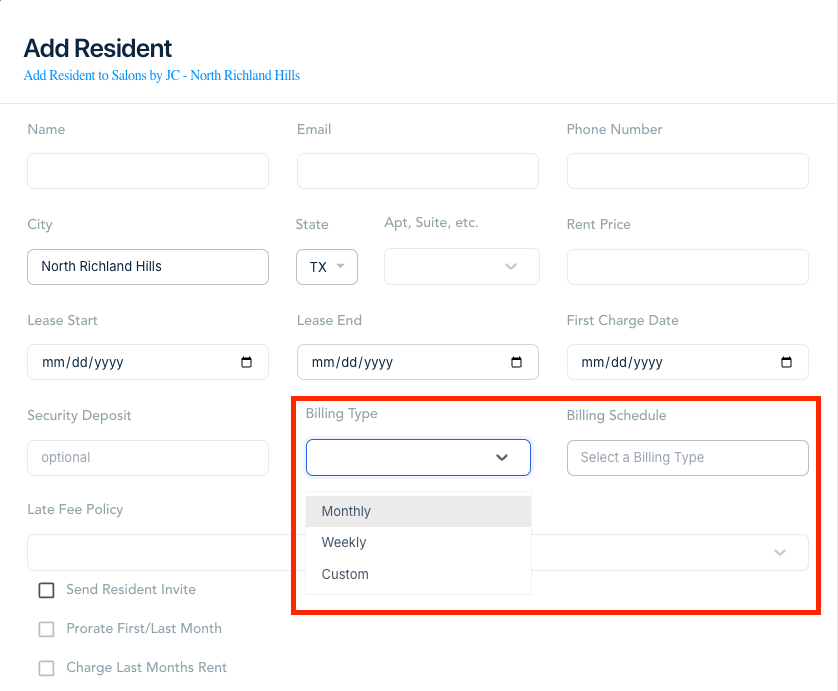
When you add a tenant, choose one of three schedules:
Monthly: rent posts once a month on the day of the month you pick.
Weekly: rent posts once a week on the day of the week you pick.
Custom: no automatic billing. You add the tenant's charges yourself (see below).
First charge day: for Monthly and Weekly, this is the date the recurring charge starts. Nothing bills before it.
Setting up a custom schedule
Custom doesn't create any charges automatically. After you add the tenant:
Open the tenant's profile.
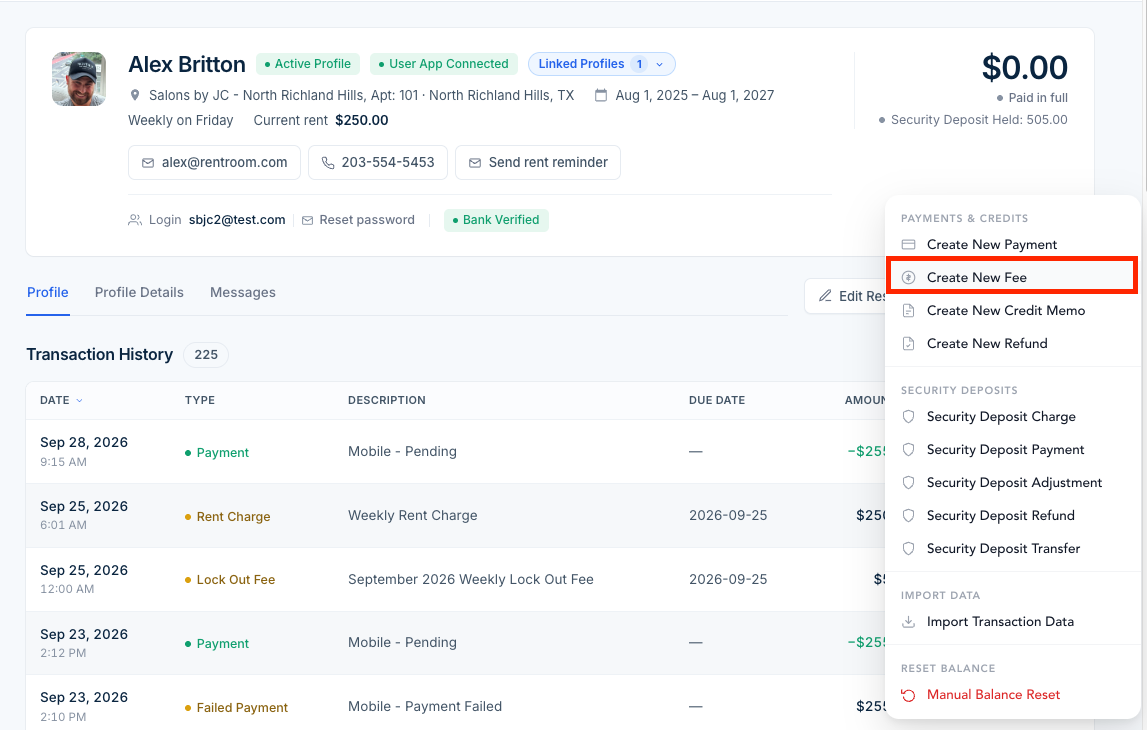
Click New Transaction, then Create New Fee.
Add a recurring charge (like rent) or a one-time charge.
Changing a tenant's billing schedule
You can't change the billing schedule once a tenant's profile is created, because weekly and monthly ledgers can't be mixed. Instead:
End the tenant's current lease.
Add the tenant again with the same information and the schedule you want.
Still stuck? Contact support.