Issuing Credits
In short: Use a credit memo to take back all or part of a charge your tenant no longer owes.
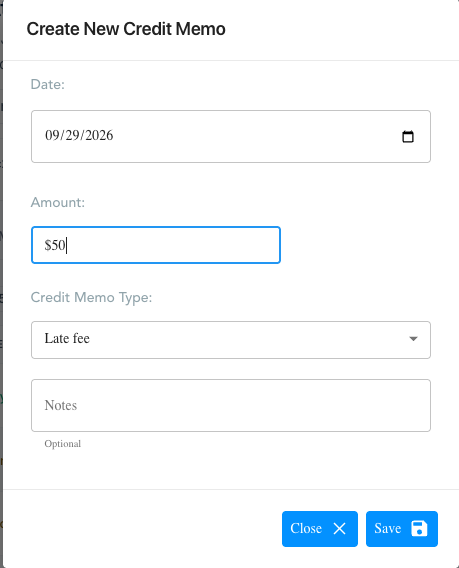
Example: Your tenant was charged a $50 late fee, but you want to waive it. Issue a $50 credit memo to remove it.
Why a credit instead of deleting? It's best practice not to delete or edit charges. A credit memo cancels the charge while keeping both entries on the ledger, so you keep a complete accounting record of what was charged and what was waived.
Steps
Open the tenant's profile.
Click New Transaction, then Create New Credit Memo.
Enter the date and amount.
Choose the Credit Memo Type. Use the same type as the charge you're reversing. For example, to reverse rent, choose Rent Charge.
Add notes if needed, then click Save.
Scheduling credits
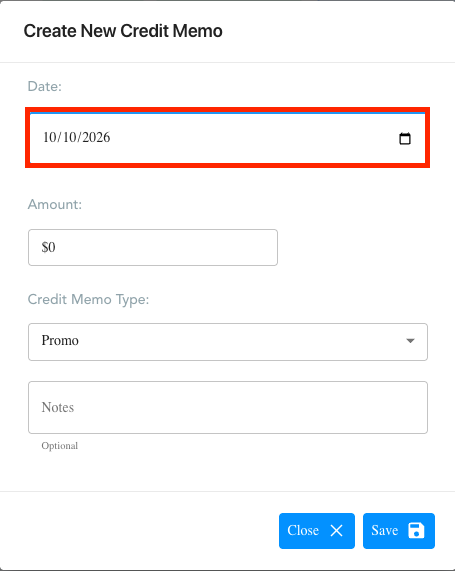
You can also schedule credits ahead of time - simply adjust the date. This is useful for planned discounts, like:
Move-in credits: for example, a new tenant's first month at a reduced rate.
Maternity or leave credits: reduced rent while a tenant is out for a set period.
Promotions or loyalty discounts
Still stuck? Contact support.