Pausing ACH Payments for a Tenant
Edited
In short: You can turn off a tenant's ability to pay by bank (ACH) in their tenant portal, and turn it back on anytime.
When to use this
You're in the middle of an eviction and don't want to accept payments.
The tenant has had several payments bounce for non-sufficient funds (NSF).
Pause ACH payments
Open the tenant's profile.
Click Edit Resident.
Select Deactivate ACH Payments.
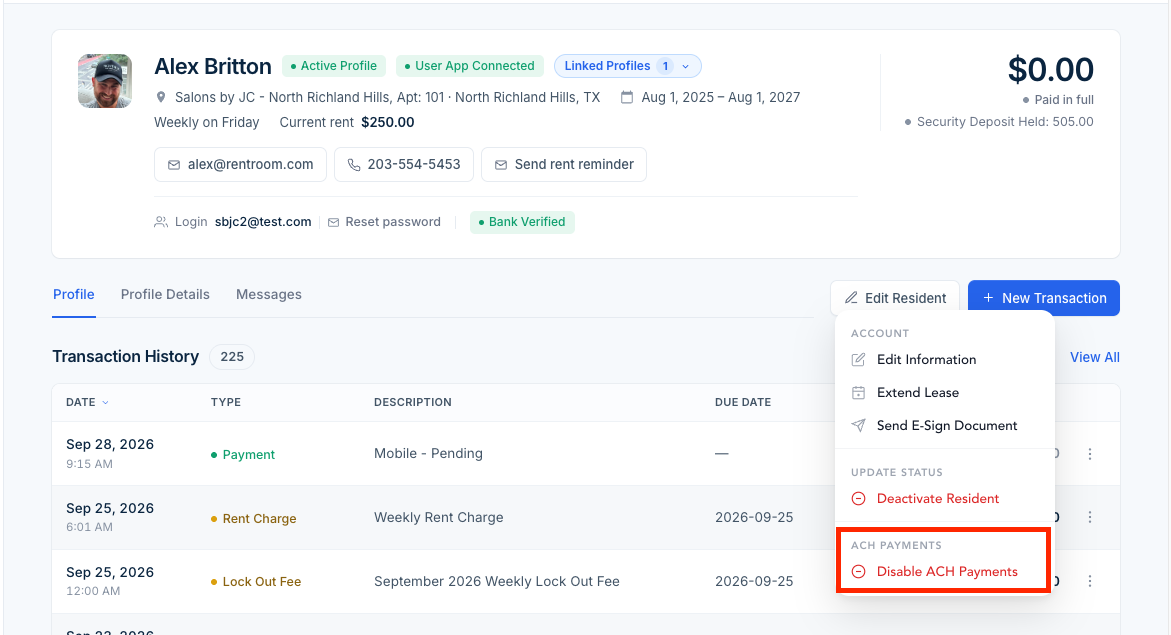
The tenant can no longer make new ACH payments through their tenant portal.
Turn ACH payments back on
Follow the same steps: open the tenant's profile, click Edit Resident, and reactivate ACH payments.
Still stuck? Contact support.