Inviting Tenants to the App/Portal
In short: Invite tenants so they can create an account, connect their bank, and pay rent in the app. You can send an invite in three places.
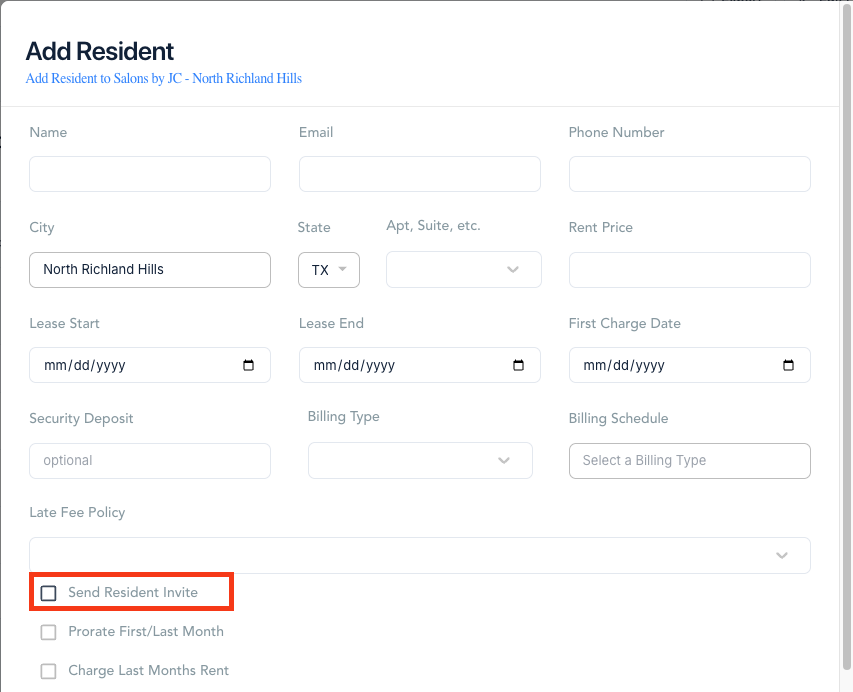
Option 1: When you add the tenant
On the Add Tenant form, leave Send Resident Invite checked. It's checked by default. The invite goes out when you click Save.
Option 2: From the tenant's profile
Open the tenant's profile.
Click Send Invite.
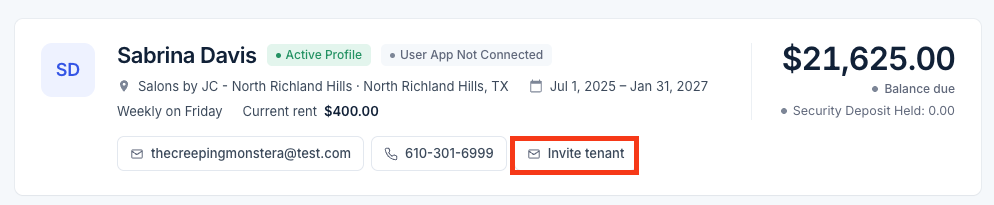
Note: If the tenant already has an account, you won't see the invite button. It reads Send Rent Reminder instead.
Option 3: From the Tenants page
Good for inviting several tenants at once.
Click Tenants in the left menu.
For any tenant who hasn't signed up yet, click the Invite button on the right side of their row.
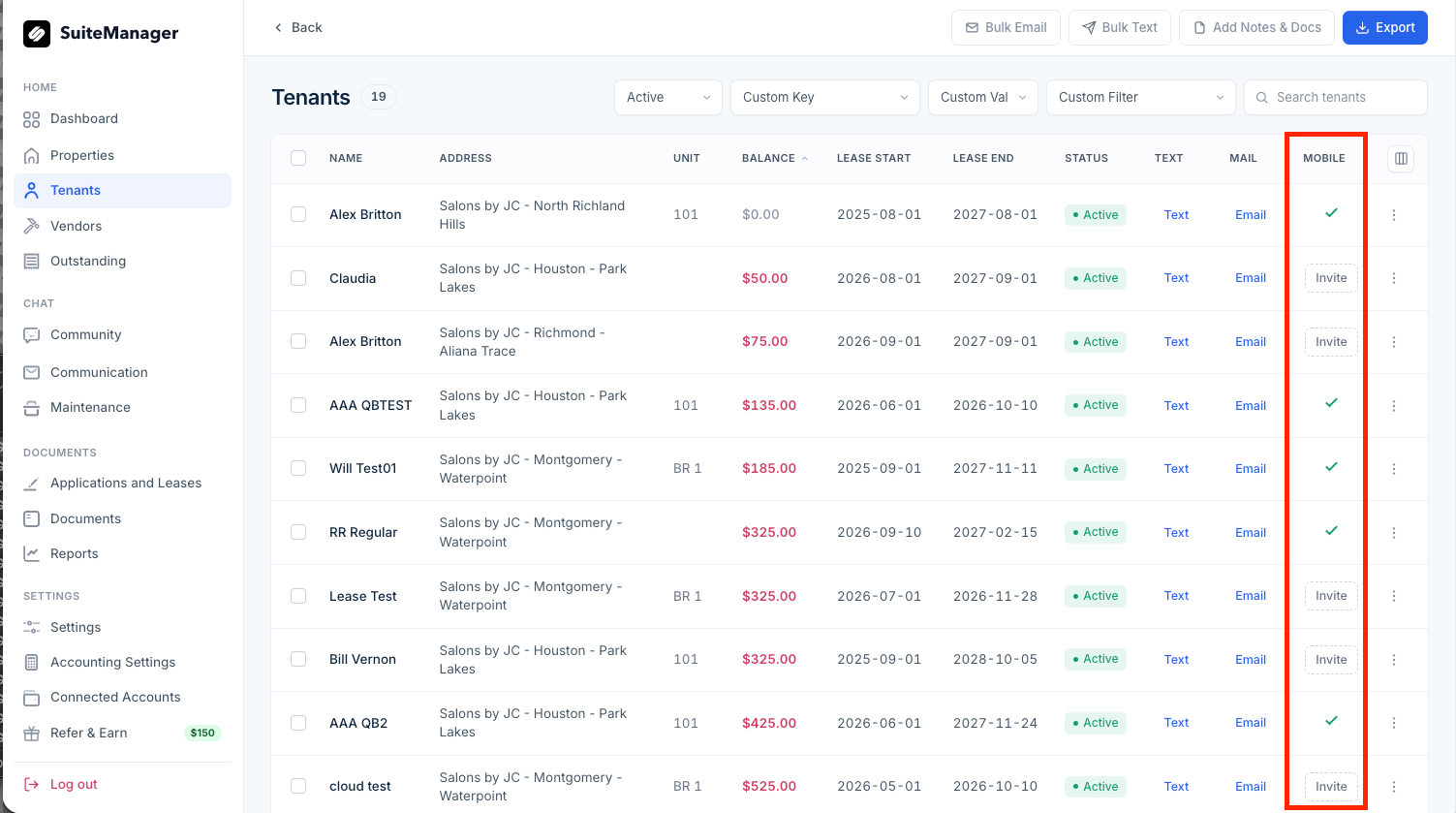
If a tenant has already created an account, you'll see a checkmark instead of the invite button.
Good to know
Your tenant signs up using the phone number on their profile, so make sure it's correct.
The Tenants page is the quickest way to see who hasn't signed up yet.
Still stuck? Contact support.