Deactivating Your Tenant Account
Edited
In short: You can deactivate your account from the Profile screen in the app.
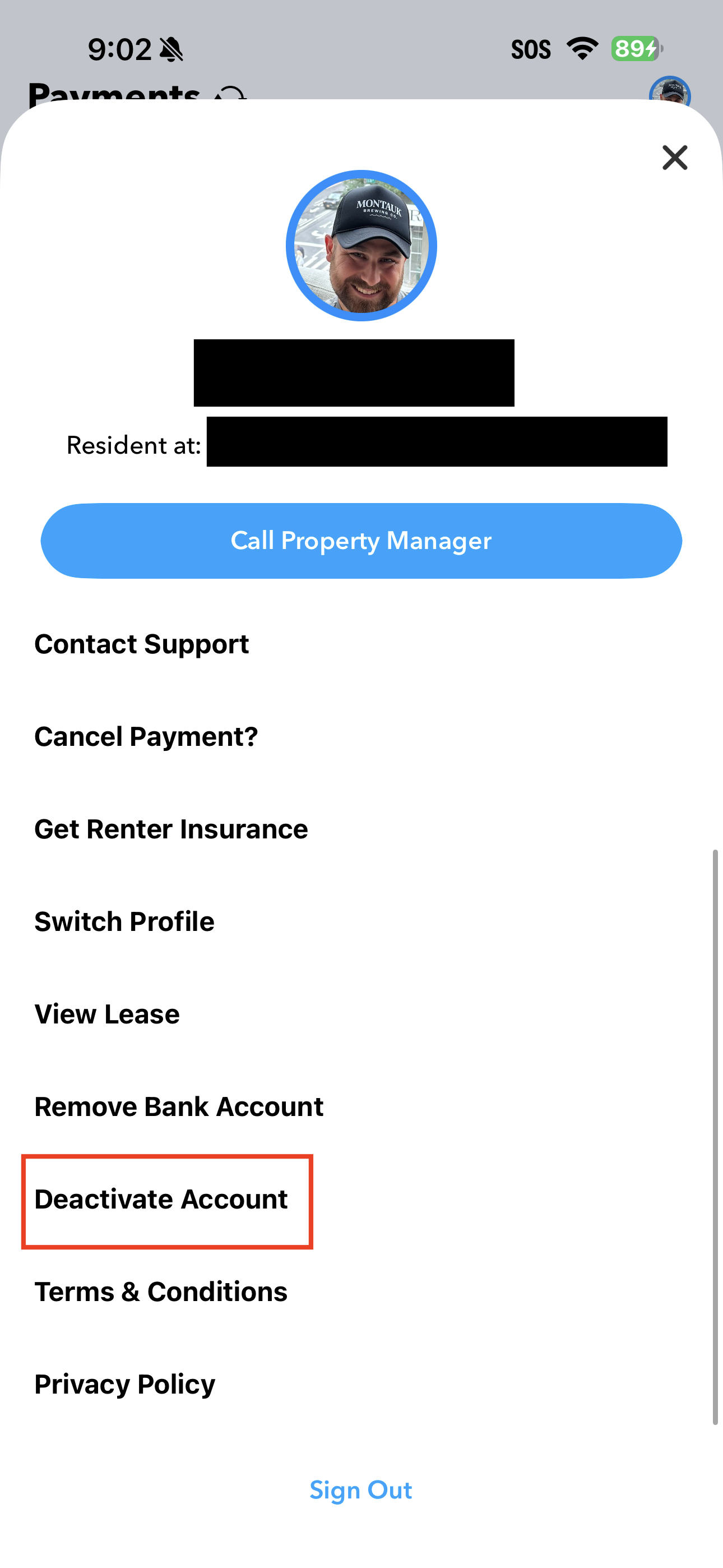
Deactivate your account
Open the app.
Tap the profile icon in the top right of the Home or Payments screen.
Tap Deactivate Account.
Good to know
Deactivating your account doesn't end your lease or remove any balance you owe. Talk to your landlord about your lease and any remaining rent.
Still stuck? Contact support.