Submitting a Maintenance Request
In short: Submit maintenance requests from the Maintenance tab in the iPhone or Android app. Pick a category, describe the issue, and track it from the Tickets tab.
Using the web portal? Maintenance requests are available only in the mobile app right now. Download the app to submit one.
Submit a request
Open the app and go to the Maintenance tab.
Choose the category that best fits your issue.
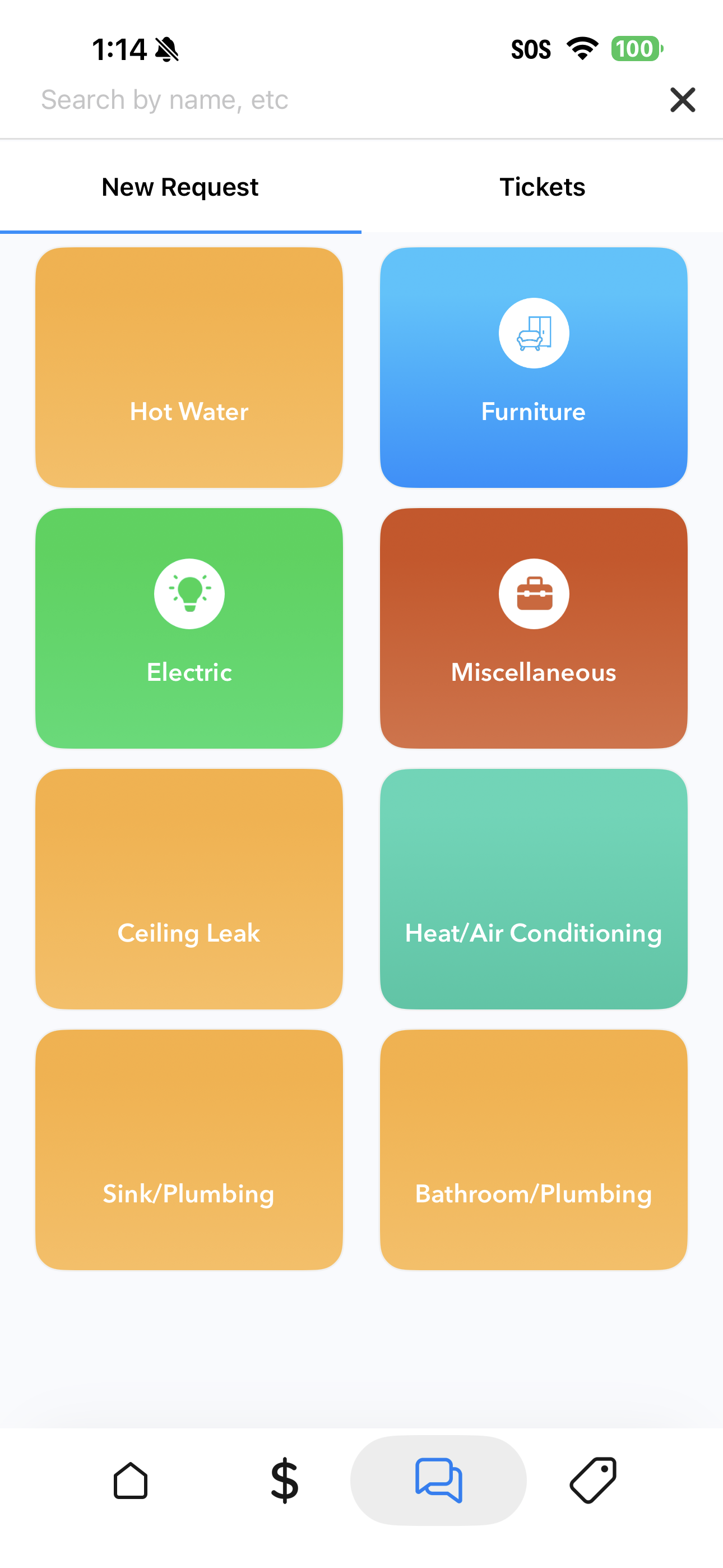
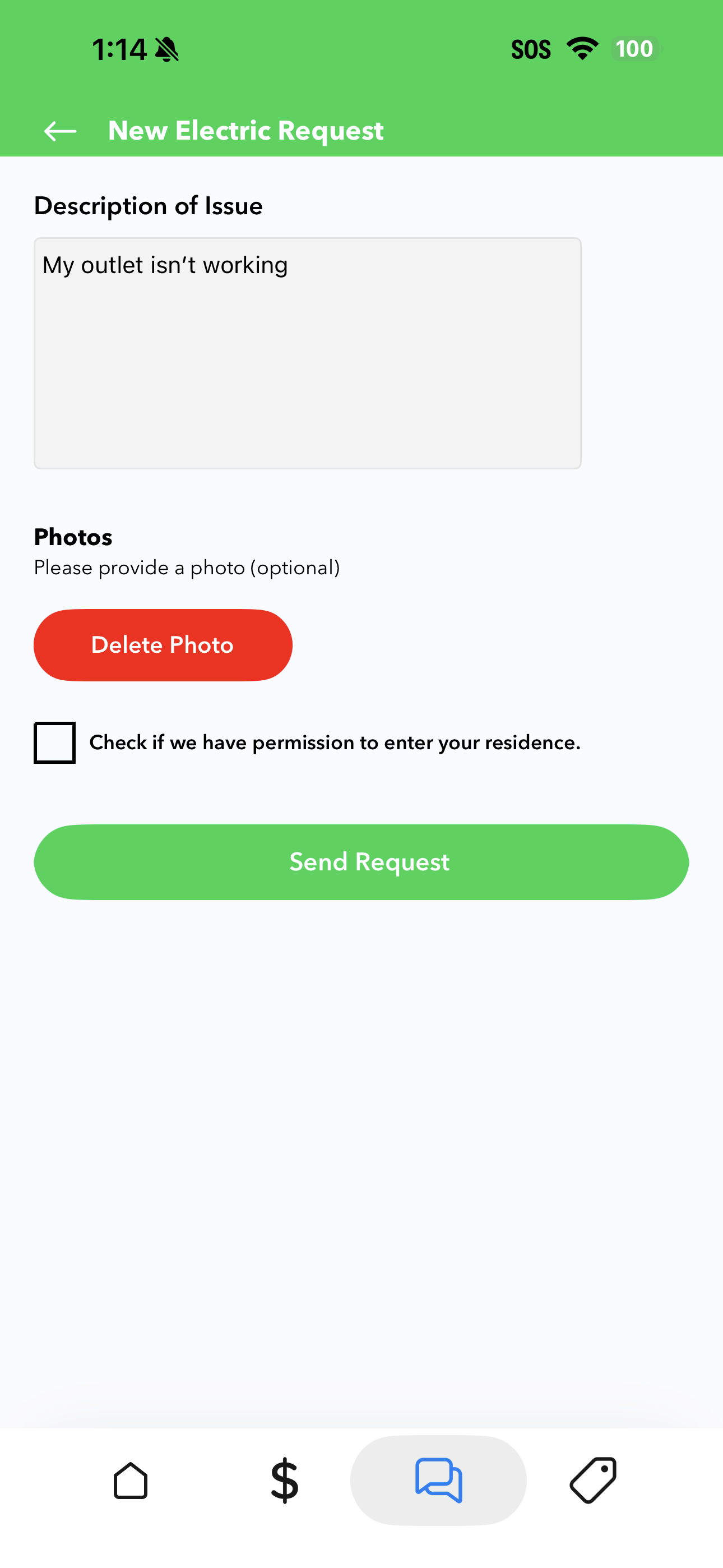
Enter the details of the request.
Optional: upload a photo of the issue.
Turn on Permission to Enter if maintenance can come in when you're not home.
Submit your request.
Track your request
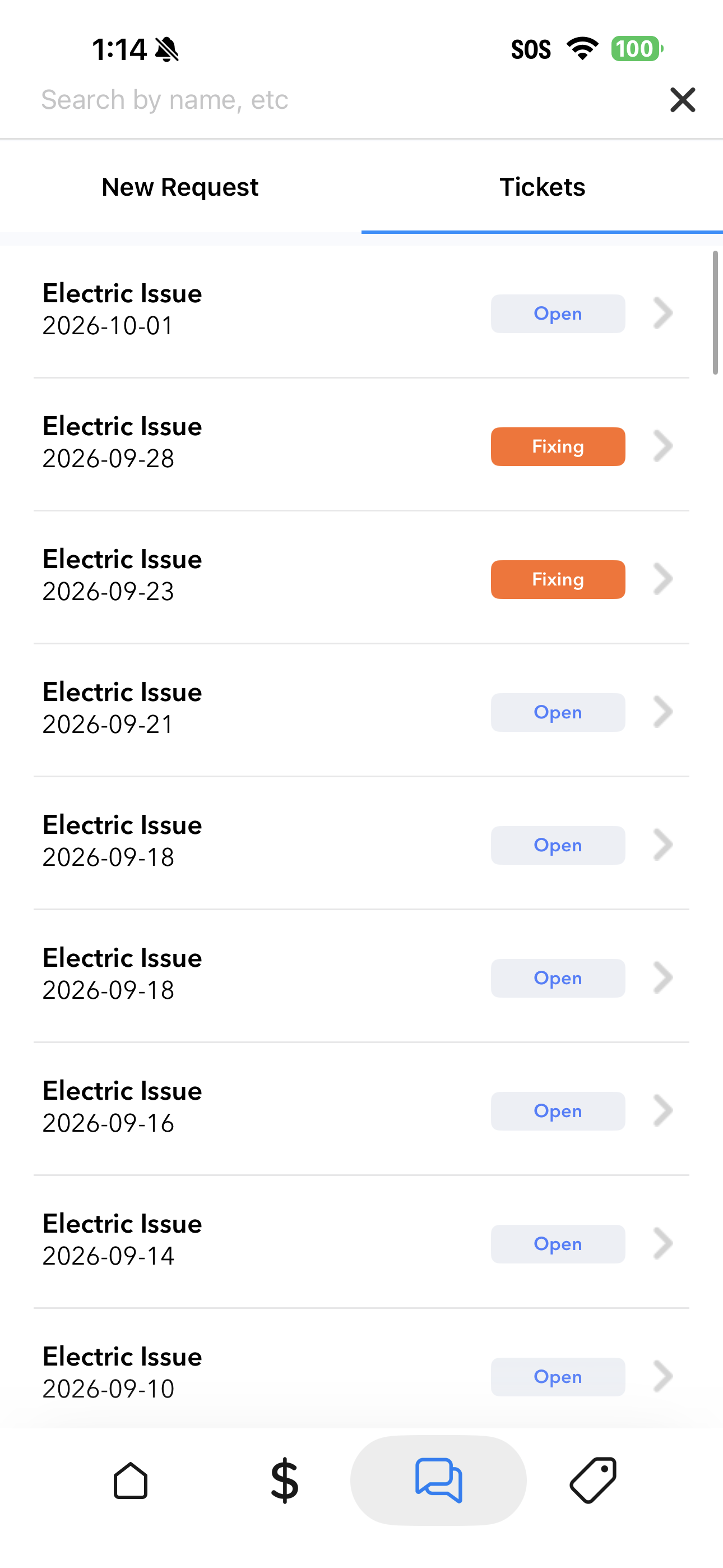
Go to the Tickets tab to see your new request and past requests.
Tap a request to open it. You'll see its status and a chat where you can message management about it.
Ticket statuses
Open: your request was received and is waiting to be worked on.
Fixing: maintenance is working on it.
Closed: the request is complete.
Is it an emergency? For anything urgent, like a flood, gas smell, or no heat in winter, call your landlord or property manager directly or call 911.
Still stuck? Contact support.