Setting Up Automatic Payments (Autopay)
In short: Turn on Automatic Payments from your Home screen, and your rent is paid automatically on your due date, so you never miss a payment.
Before you start
Make sure you have a bank account connected. See Adding a Bank Account.
Turn on autopay
Open the app and go to the Home screen. Tap the house icon at the bottom.
Tap Automatic Payments. It shows Off if autopay isn’t on yet.
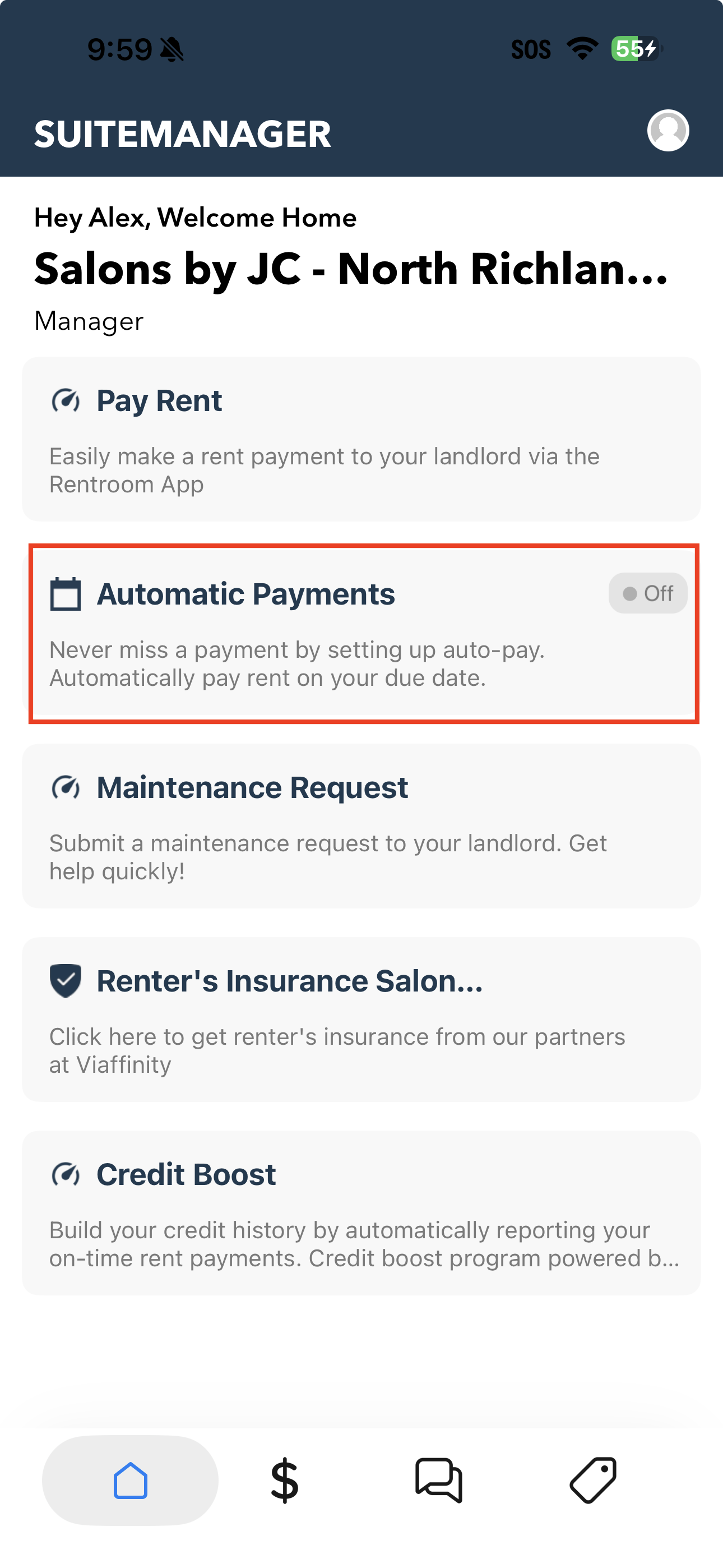
Follow the prompts to enroll.
Once you’re enrolled, the Automatic Payments card shows On.
How autopay works
Your rent is paid automatically on your due date.
Bank payments take 3–5 business days to process. See How Long Payments Take.
Tips to avoid a failed payment
Keep enough money in your account to cover rent on your due date, and leave it there until the payment completes. See Why Did My Payment Fail?
Changing banks? Your new bank needs to be connected and verified before your next due date.
Still stuck? Contact support.